The short answer
There is no setting that hides your following list on Instagram. The developers never built one, and there is no workaround inside the app either.
Privacy here is a single switch for the whole account. It is either open to everyone or closed to everyone except approved followers. Hiding one list selectively while leaving posts visible is not an option.
If you find a guide titled “hide your following list in three taps”, test it on your own account before believing it. The setting it describes is not in the app.
What actually works
The only working way to close the list to strangers is making the profile private. Settings, then Privacy, then the private account toggle.
Far more changes than the following list.
| What a stranger sees | Public profile | Private profile |
|---|---|---|
| Following list | yes | no |
| Followers list | yes | no |
| Posts | yes | no |
| Stories | yes | no |
| Avatar, name, bio | yes | yes |
| Follower count | yes | yes |
So a private profile does hide the follows, at the cost of everything else. For a creator or a shop that is usually unacceptable, and that is the real difficulty behind this question.
Half-measures that do nothing
- Unfollow everyone. The list goes empty, but that is deleting rather than hiding. And it is far more noticeable.
- Restrict a user. Restrict covers comments and messages. It does not touch lists.
- Close Friends. Works for stories only. It has no effect on follows.
- Block one specific person. They stop seeing your profile entirely, while everyone else still sees the list.
- Remove yourself from someone’s followers. That hides one connection in one direction and does nothing to your own following list.
On blocking specifically: it solves the problem only when one particular person is the concern. As general privacy it does not work.
What changes once the account is private
Going private looks like an easy decision until the consequences arrive. They are worth weighing first.
New followers come through approval
Every request now waits for your consent. On a personal page that is a benefit; for a shop or a blog it costs you part of the audience, because not everyone will wait to be approved.
Posts stop reaching recommendations
A private page drops out of hashtags and suggestion feeds. Audience growth stops almost entirely, and that is the most noticeable price of the decision.
Existing posts remain available to people who already follow you. New ones reach the same group.
Shared links stop opening for outsiders
If you have shared a link to your page elsewhere, a logged-out visitor now sees an empty screen. For a link in a CV or on a website that is usually unacceptable.
How to check what strangers see
A useful habit is looking at your own account through a stranger’s eyes. From inside the app that is impossible: you always see your profile as its owner.
The simplest way is to open your own profile the way a logged-out visitor sees it. If the lists open, anyone can see them, including the people you meant to hide from.
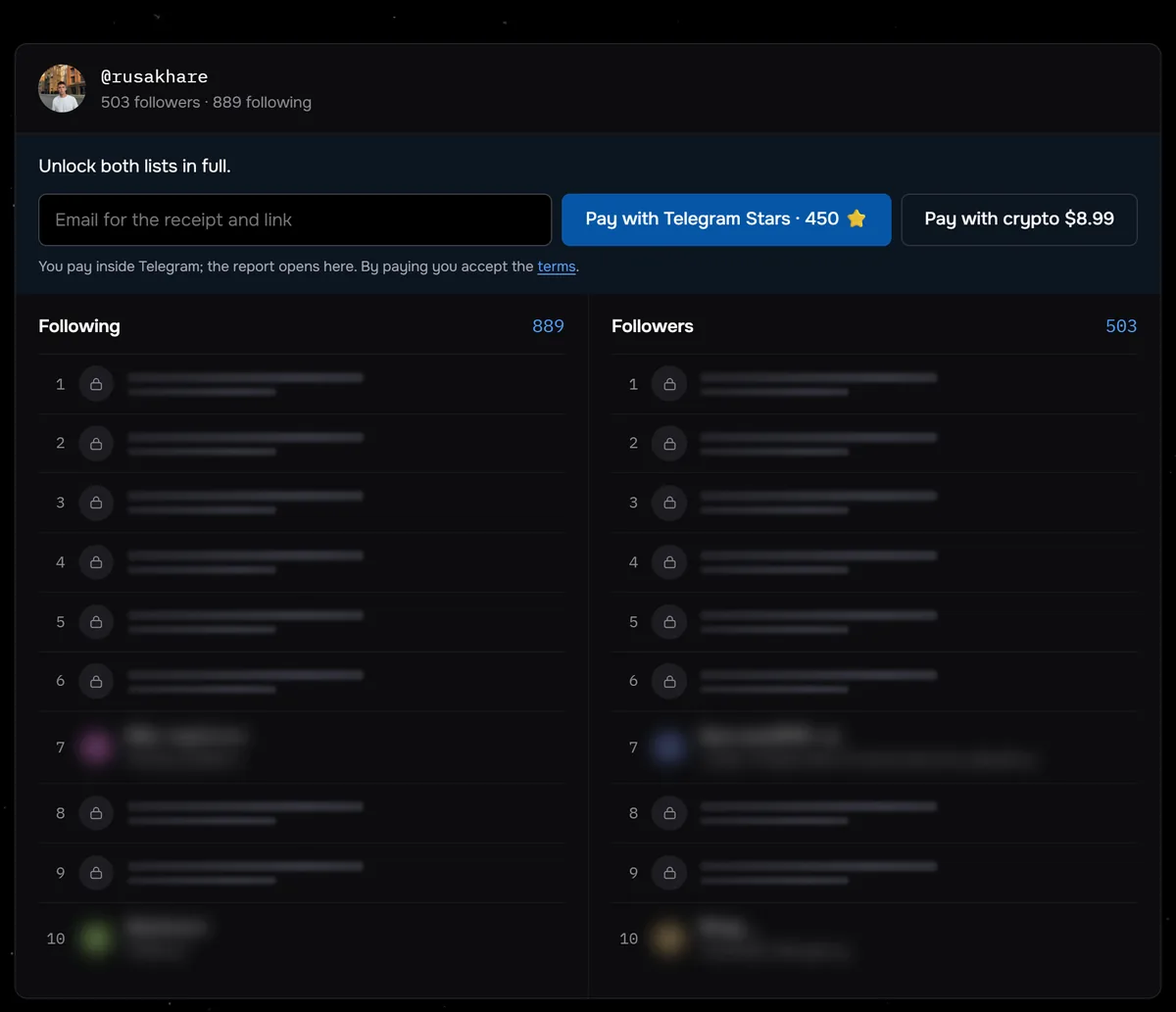
The screenshot shows a Sled check of the public profile @rusakhare. Before paying, you already see 889 following, 503 followers and the top of both lists. Anyone can see those lists for as long as the profile stays public.
See which lists your profile hands to a stranger. No login involved, so you see exactly what an outsider sees.
Check your own profileCommon questions
How do I hide my following list on Instagram?
Not on its own: no such setting exists. The list closes only together with the whole profile, using the private account toggle in the privacy settings.
Can I hide follows but keep posts public?
No. Instagram privacy applies to the entire account; hiding one list selectively is not possible.
Does the Restrict feature help?
No. Restrict covers comments and messages from a specific person. It does not affect following lists.
What about Close Friends?
That is for stories only. It has no effect on the following list.
What stays visible on a private profile?
Avatar, name, bio and follower count remain visible to everyone. Posts, stories and both lists are hidden.