Why an unfollow cannot be seen directly
An unfollow is not an event. It is the difference between two states. Yesterday the person was in the list, today they are not. Instagram neither shows that difference nor stores it.
The activity feed reports new followers, and not always. About people who left it stays silent. That is deliberate: the platform does not tell users that someone walked away.
The follower count does not answer the question
Everyone can see the number, and that is what people watch. It helps little. It was 1,240, now it is 1,238. Two left, but the counter will not say who. Five could have left and three joined, and the counter still shows minus two.
Five ways to see who unfollowed you
Compare two snapshots of the follower listOur method
Save the follower list today, take a second one a week or a month later, and compare. Anyone missing from the second has left. No account login needed.
UpsideGives names rather than a number. Needs no password and puts the account at no risk of a lock.
DownsideShows a period, not an exact time. Needs a second snapshot, so the answer is not instant.
Unfollower apps
Install a program, log into the account, let it watch the list.
UpsideThey promise notifications right after an unfollow.
DownsideThey ask for a password, which grants the right to act as you. Instagram sees a login from an unfamiliar server and often locks the account pending identity confirmation.
Counting by hand
Open the follower list, copy the names into notes, compare later.
UpsideNothing to pay or install.
DownsideA hundred people takes an evening, a thousand is impossible. The list loads in chunks and snaps back to the top.
Watching the counter
Remember the follower number and notice the drops.
UpsideZero effort.
DownsideGives no names at all. Only the fact that somebody left.
Checking one specific person
Open your follower list and search for the name.
UpsideFast, if you only care about one person.
DownsideWorks only when you already have a guess. Mass unfollows stay invisible.
A one-minute test of any service: if it asks for your Instagram password to read your own follower list, reading is not its main goal. A public list is visible without a login.
What comparing two snapshots looks like
The first snapshot records the state. The second shows what changed. The difference between them is the answer to who unfollowed you during the period.
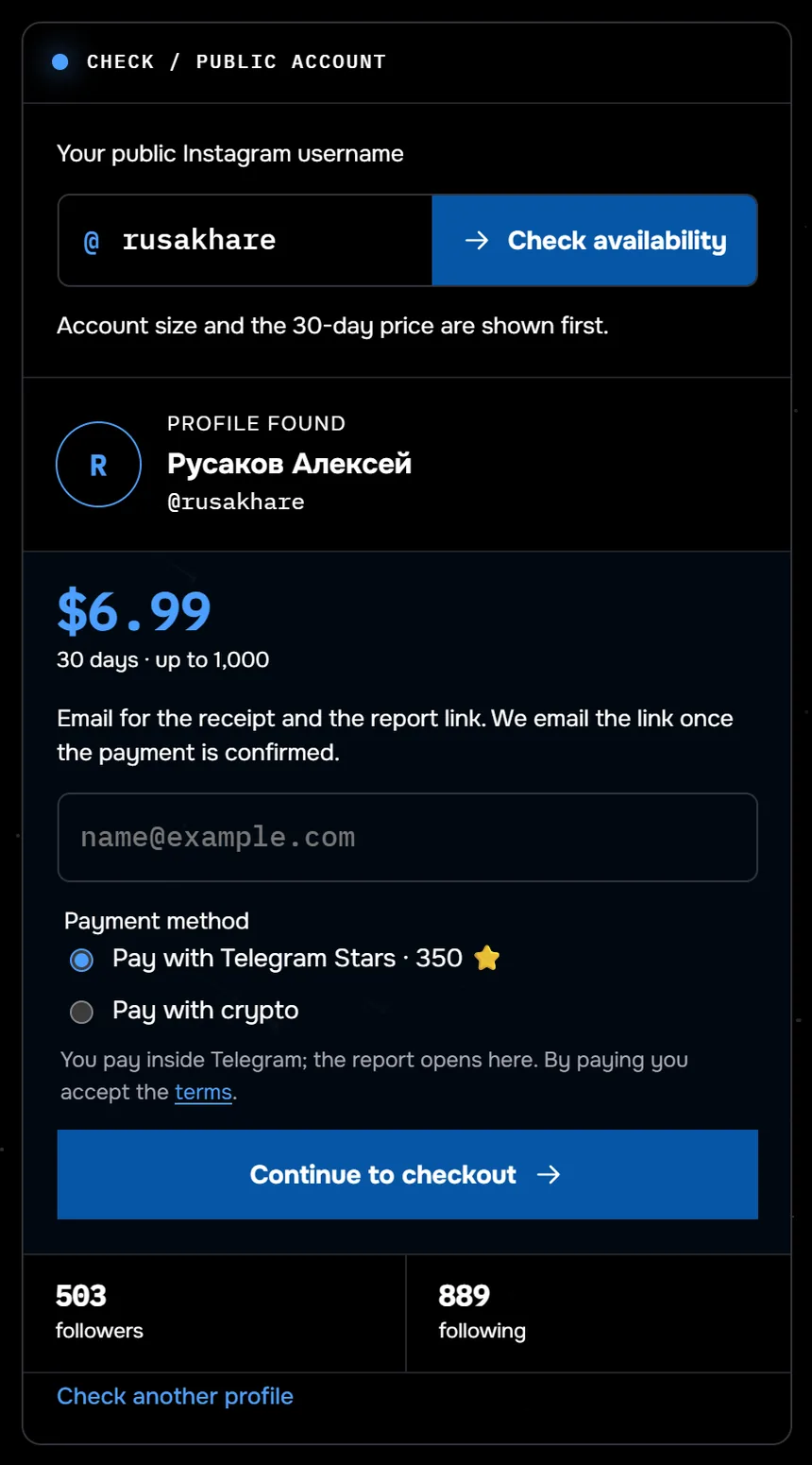
This is how watching a follower list starts in Sled: the profile @rusakhare is found, with 503 followers. Thirty days of watching a list of up to 1,000 followers costs $9.99; the screenshot shows the earlier price. From 24 August to 27 September 2026, 117 profiles were checked through Sled, and half of them had fewer than 359 followers.
Set up watching on your follower list and get the names of everyone who leaves. No password, no app to install.
See who unfollowed youGone from the list does not always mean unfollowed
Almost nobody warns about this, and the difference matters. Someone disappears from a follower list for four reasons.
- They unfollowed. The ordinary case.
- They deleted the account. The profile is gone, and it left the list with it.
- They were banned. Instagram clears out fake accounts regularly, and real people go with them.
- They went private. Sometimes the follow survives, sometimes it does not.
No method tells these four apart: from the list’s point of view they look identical. A service confidently printing “unfollowed” is passing a guess off as a fact.
Why an unfollow has no exact time is covered in why Instagram shows no follow date.
Common questions
How do I see who unfollowed me on Instagram?
Compare two follower lists taken at different times. Whoever was in the first and is missing from the second has left. There is no other way to get names: Instagram sends no unfollow notifications.
Does a notification arrive when someone unfollows?
No. The activity feed shows new followers and says nothing about people who left, neither in the app nor by email.
Why do apps show unfollowers immediately?
Because they captured your list earlier, sometimes without being asked. If a service shows unfollowers on the very first check, it has nothing to compare against and the number is invented.
Is it safe to install an unfollower app?
An app with account access gains the right to act as you. Instagram treats a login from an unfamiliar server as suspicious and may temporarily lock the profile.
How long should I wait before the second check?
It depends on how active the account is. A week or a month for an ordinary profile. For most people nothing changes in a day.