Where Instagram shows that someone was online
The status lives in direct messages, the part of the app people call DMs. Instagram Help names a single place for it: the profile picture in your chats. Next to it sits a green dot or a timestamp showing when the person was last active. The help center describes no other place for it.
The status tells you one of two things: the person is online right now, or they were around some time ago. The help article on who is active lists where to look:
- Your inbox. Chats show a green dot or the time of the last visit next to each profile picture.
- An open chat. A label under the name reads something like Active 25m ago or Active yesterday.
- The conversation itself. While you talk, labels such as Seen, Typing, In the chat or In the camera appear.
A timestamp answers one question only: when the person was last around on Instagram. It says nothing about whom they talked to or what they watched. A green dot means the person is using Instagram now. Whether they are writing to someone at that moment, the dot does not say.
Why some people show a status and others don't
The status is not public. A small circle of people sees it. The owner of the status lets people in through their own actions, not yours.
Who can see the status under Instagram's rules
According to Instagram Help, people you follow and anyone you message see when you were last active or currently active. The rule starts from the owner of the status, not from the viewer. Following someone does not reveal their status to you. Their follow of you or their message to you does. A mutual follow is not required.
Take two sample people, Olivia and Max. Olivia wants to know when Max was online. Max's own actions and the settings of both decide it:
| Situation | Olivia sees Max's status |
|---|---|
| Max follows Olivia, both have the status on | Yes |
| Max has messaged Olivia, both have the status on | Yes |
| Olivia is following Max, who never followed or messaged her | No |
| Max switched his status off | No |
| Olivia switched her status off | No, Olivia sees nobody's status |
That explains a common complaint: you follow someone, yet no status appears. There are two reasons. The person does not follow you and has never messaged you. Or one of you has the status switched off.
When the status disappears for both people
The switch works both ways. The help page warns that once you turn it off, you stop seeing when your followers or your chat partners are around. Everyone else's status disappears for you as well. You cannot hide yourself and keep watching others.
This explains a second common situation. The status vanished for every chat at once: check your own switch, described below. It vanished for one person only: they turned theirs off or unfollowed you, and the two of you never had a chat.
How to hide your activity status
The switch sits among message settings. Instagram Help gives this path in the app:
- Tap your profile picture in the bottom right.
- Tap the menu icon in the top right.
- Under How others can interact with you, tap Messages and story replies.
- Tap Show Activity Status and turn off the toggle next to it.
On a computer, start from More in the bottom left, then Settings. The remaining steps are the same.
What changes once it is off
People you follow and your chat partners no longer see a green dot or the time of your last visit. None of them can tell when you were online. In return you lose everyone else's status: dots and timestamps vanish from your inbox. The same toggle brings it all back.
Read receipts are a separate setting. Instagram Help covers read receipts on their own: you can manage them for all chats or for selected ones. You can also hide your status from a single person. Once you restrict someone, they won't see when you're online or whether you have read their messages.
What else you can see about someone's activity without logging in
The status is narrow, and the person controls it. Other traces of a public profile are open to any visitor. There are three: posts, stories and the following list.
Posts and stories
Every post carries a date, so a public feed shows how often someone shares photos and reels. Instagram Help explains that the profile of anyone you follow has a Notifications button in the top right. There you can switch on alerts for Posts, Stories, Reels and Live Videos. The person gets no signal that you turned these alerts on.
Stories work differently. Instagram Help is clear: when you watch someone's story, they can tell you have seen it. Curiosity about stories leaves your name on the viewer list. Our piece on who sees that you watched a story covers who reads that list and in what order.
Follows of a public profile
Tap the following count on a public profile to open its list. Our guide to seeing who someone follows explains how to read a long list. The article on hidden following lists covers lists a person keeps out of view.
New follows say more about a person than a status does. The status gives a time, while a fresh name on the list shows an interest: a stylist, a shop, a gym, a new acquaintance. Yet the list shows no dates next to names. Take a profile following 600 accounts: comparing that list with yesterday's from memory will not work.
What Instagram shows nobody: profile visitors and post viewers
Instagram Help describes a viewer list for stories only. For profiles it offers numbers. Post insights count profile activity: the number of actions people take on your profile after engaging with a post. No names sit behind that number.
Posts work the same way. Under a post you see the likes and comments people chose to leave. A view without a like or a comment leaves no name behind.
Instagram does not share the timing of other people's actions either. A following list shows no date next to a name. From the outside you see one thing: a name is on the list now, or it is not.
Apps that promise a list of profile visitors ask you to log in. Instagram Help describes no such list, so a password entered there gives access to your account, not to anyone's visits.
Our article on Instagram spy apps covers what they promise and what people get after trusting them.
How to track new follows on a public profile without manual checks
A manual check stalls on the missing dates. You would have to save the whole list and compare it with yesterday's, name by name. The Sled following tracker runs that comparison every day. It reads the following list of a public profile and sends the difference since the last check. No login and no password are needed.
- Names. Accounts the profile followed since the previous check.
- History. Every change found, by check date, on a private page.
- Email alerts. A message when fresh names appear.
- Automatic end. Tracking stops on its own, with no repeat charge.
The check catches the difference between two lists. A follow added and removed between checks may never show up in it. A full daily comparison narrows that window to one day. The report names no event time: the history shows the day of the check.
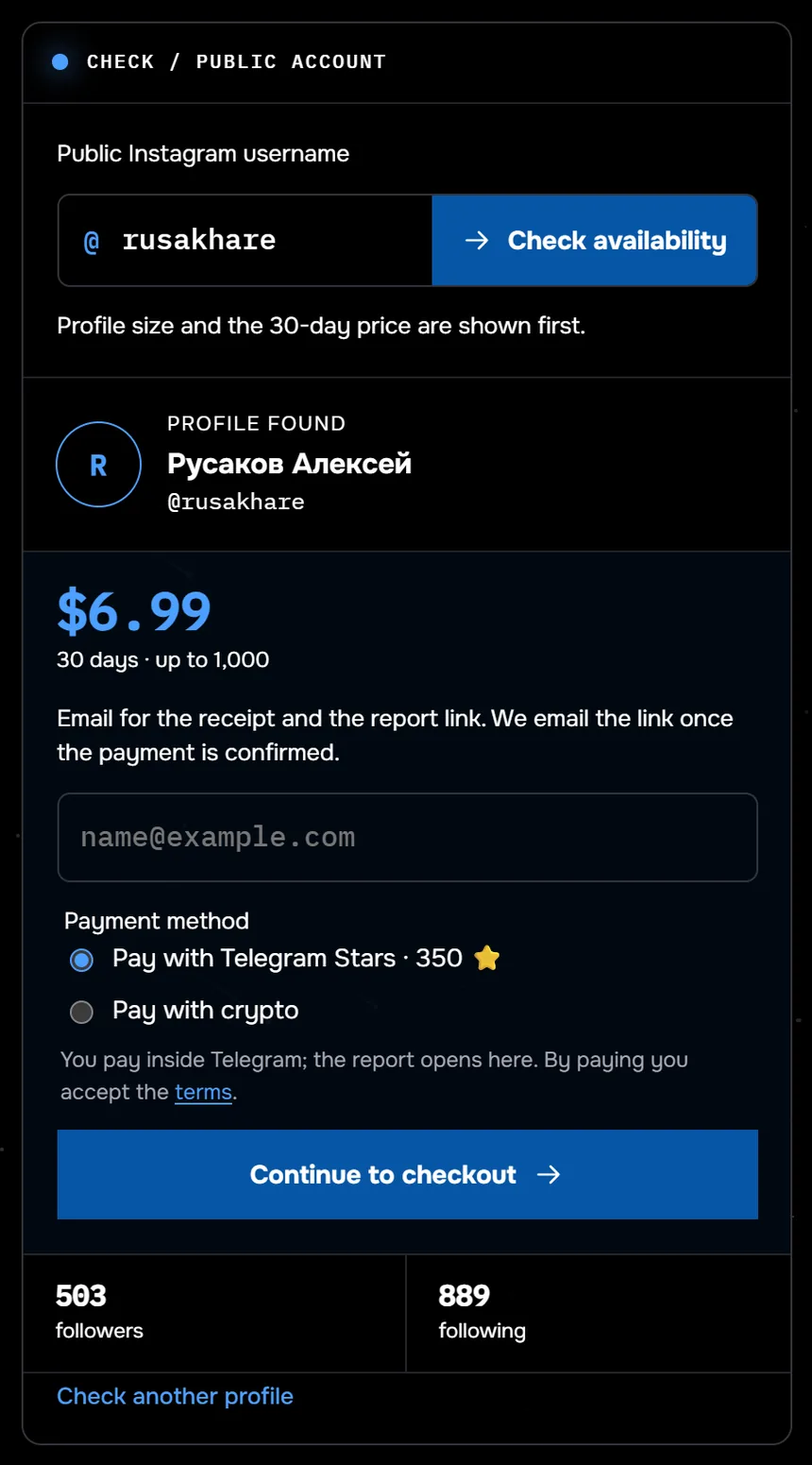
The screenshot shows the check before payment: the profile @rusakhare is found, it follows 889 accounts. Thirty days for up to 1,000 follows now cost $9.99; the screenshot shows the earlier price. From August 24 to September 27, 2026, 117 profiles had their following and follower lists checked through Sled. Half of them followed fewer than 350 accounts, and only 6 of the 117 followed more than a thousand.
Names a public profile adds to its following list, sent to your email and kept in a history on a private page. No login and no password.
Track new followsWhere the line sits: interest versus control
Everything above is open. Only people the person let in, by following them or writing to them, see the status. Any visitor sees a public profile's following list. The line runs through purpose and frequency, not through the data.
Interest looks like this. A shop watches whom its competitors follow. A reader waits to see whom a favorite author follows next. A friend checks an old friend's feed once a week.
Control looks different. A partner checks several times a day when the other was last active and demands an explanation for every green dot. A 2 a.m. timestamp turns into a fight. All it shows is a time.
A hidden status and a private profile are the person's own privacy decisions. Do not try to get around them. Logging in to someone else's account is off limits: Instagram's Terms of Use forbid soliciting, collecting or using other users' login credentials. The owner can review the devices that recently logged in. Where you're logged in, under Password and security in Accounts Center, lists them, and This Wasn't Me starts a password reset.
One test is enough. Imagine the person learned how often you check their profile and status. They would shrug: that is interest. They would feel uneasy: stop and talk to them directly.
Common questions
Can you see when someone was online if they don't follow you?
Yes, if they have messaged you and both of you keep the status on. Without their follow or a chat, the status stays hidden. Your follow of them does not reveal it.
Why did every status in my inbox disappear at once?
Check your own Show Activity Status toggle. Turning it off hides your status and everyone else's too. Switch it back on and the dots and timestamps return.
How do you hide your activity status from one person?
Restrict their account. According to Instagram Help, a restricted person won't see when you're online or whether you have read their messages. Everyone else sees your status as before.
Can you see who viewed your Instagram profile?
No. Insights count profile activity as a number, without names. Instagram Help describes a viewer list for stories only.
Sources
- Instagram Help: turn your Activity Status on or off
- Instagram Help: see who is active on Instagram
- Instagram Help: manage read receipts for your chats
- Instagram Help: restrict or unrestrict someone
- Instagram Help: notifications for someone you follow
- Instagram Help: who can tell that you've seen their story
- Instagram Help: insights on your posts
- Instagram Help: recent logins to your account
- Instagram Terms of Use