Where Instagram shows who someone follows
The following list lives on the person’s page, not in the feed or in settings. Three counters sit at the top: posts, followers and following. The first counts posts, and the second shows how many people follow the page. The third shows how many accounts the owner follows. Tapping that number opens the list.
In the app on your phone
- Open search in the app and type the person’s username or name.
- Pick the right person in the results to open their page.
- Find the counters for posts, followers and following next to the profile photo.
- Tap the Following count to open the list of accounts this person follows.
Instagram Help walks the same route in its article on removing a follower: the count sits at the top of the page. Other people’s pages place the counters the same way. Each row shows a photo, a username and a display name, and tapping a row opens that user. People change usernames more often than you might expect, so when search returns nothing, try a first and last name.
In a browser on your computer
In a browser, a profile lives at instagram.com followed by a slash and the username. Instagram Help on profiles on the web puts it plainly: anyone can see a public account’s page and posts at that address. A private account shows its content only to people who are logged in and approved by the owner.
The second route goes through search. Instagram Help on search says to click Search on the left, then type into the search field at the top. Open the right result and click the word following next to its number.
What a public profile and a private account reveal
Instagram keeps its visibility rules in a single table in the help article on public and private accounts. Most rows cover posts, but two describe connections between accounts. Here is the core of that table, paraphrased.
| What is visible | Public profile | Private account |
|---|---|---|
| Photo, name, username and bio | anyone, on or off Instagram | anyone, on or off Instagram |
| Posts on the page and in feed | anyone on Instagram | followers only |
| Connections with public accounts | anyone on Instagram and Threads | anyone on Instagram and Threads |
| Connections with private accounts | anyone on Instagram | followers only |
| Who can follow | anyone | only people the owner approves |
The third row surprises most readers. A private account does not hide its connections with public accounts: anyone on Instagram and Threads can see them, just not in its own list. The reason shows in the public column. A public account shows its followers to everyone, and the private owner’s name sits in that list like any other.
That gives you a way to check a single name. Say you want to know whether a private account follows a particular public one. Open that public account’s followers, type the username into search and look for a match. Connections between two private accounts stay out of reach, since only the owner’s followers see them.
Teens under 18 get a private account by default. No setting in that table hides only the follows on an otherwise public page. Where that myth comes from is covered in hidden following lists on Instagram.
In what order the follows appear
The list carries no follow dates. Each row holds a photo, a username, a name and a follow button, and nothing else. Instagram shows how long a connection has lasted somewhere else, and not to everyone.
What Instagram Help confirms
Instagram Help on shared activity describes a section that shows how long you have followed an account and how long it has followed you. The same place collects the tags, likes and comments you exchanged. It is available when one or both of the two accounts follow the other. It opens only in the app on a phone or iPad, through the three-dot menu.
Follow length is shown only to the two sides of a connection. A stranger looking at somebody else’s list sees that a follow exists, never when it began. Any promise of an exact follow date in another person’s list runs against what the platform itself shows.
Sorting your own list and the order of someone else’s
Your own following list can be sorted by date. Instagram added sorting from earliest to latest follows and back in February 2020, TechCrunch reported. The feature applied to the accounts you follow yourself. The announcement said nothing about other people’s lists.
You cannot sort someone else’s list by date, but it still has an order: follows appear in the order they were added, newest at the top. No row carries a date. Take a user following 900 profiles. The first name shows who they followed last, but not whether that happened yesterday or a month ago.
How to find one name in someone else’s follows
Scrolling a long list to reach one username takes a while, and somewhere past the five hundredth row the eye starts skipping names. Three techniques work faster. Each one answers its own case: whether a name is on the list, which connections you share, and who follows back.
Search within the list
A search field sits above the list of follows in the app. Type part of a username or name, and only the matches remain. Try several spellings: Latin and local alphabets, with a dot, with an underscore. If every spelling comes back empty, that account is not among the follows.
You can run the check from either side. Search for the account’s username in the person’s follows, or for the person’s username in the account’s followers. The second route helps when the person’s page is private and the account is public.
Connections you share
Shared acquaintances are easier to find in reverse. Write down the usernames of people you both know and check each one through search in the list. That takes minutes, while scrolling a long list takes an evening. The shared activity section shows the person’s connection with you: follow length, tags, likes and comments.
Mutual follows
Mutual follows only show when you compare two lists from one profile: follows and followers. By hand, every name from the first list would need a search in the second. The mutual follow check splits the connections into three groups: mutual, accounts that do not follow back, and accounts the owner does not follow. It works for your own public profile or someone else’s, with no login.
Why someone’s following list will not open
Sometimes the Following count is visible, but the list is empty or never loads. There are five causes, and from the outside they look alike.
- The page is private and you do not follow it.
- The owner has blocked your account.
- The account was deleted or deactivated.
- The person changed their username, and the old link leads nowhere.
- The app failed to load the list.
How to tell these causes apart within a minute is covered in can’t see someone’s following list on Instagram, along with what to do in each case. A private page from the first point still exposes its connections with public accounts. The followers check from the section above keeps working for it.
How to see recent follows without scrolling by hand
The order of addition tells you who was followed last. It cannot tell you what was added this week, because rows carry no dates. The exact window comes from comparing two full lists of the same person, taken on different days.
Reading that comparison is straightforward. A name on the second list that is missing from the first is a new follow made between the two checks. A name that was there and vanished means an unfollow, or the page became unavailable. The comparison gives no exact date, but it names the window, say 1 to 8 September.
Comparing two long lists by hand is slow even with search. The Sled report shows both lists of a public profile in full, the accounts it follows and its followers, in the order they were added with the newest on top. The check is anonymous and needs no login. Save the first report as a baseline, and a week later you will have something to compare against.
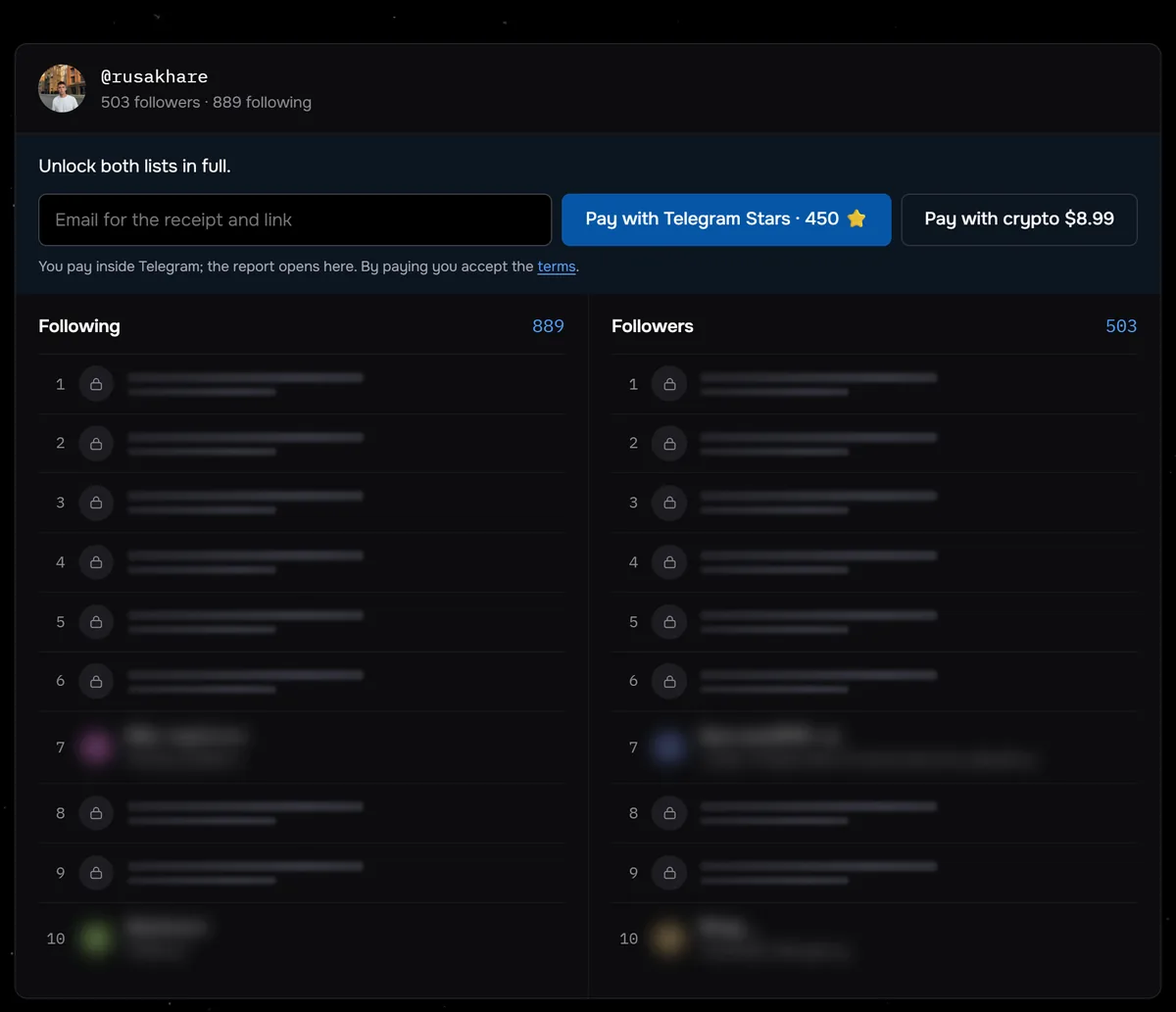
Our own checks show how long these lists get. From 24 August to 27 September 2026, 117 profiles were checked through Sled. Half of them followed fewer than 350 accounts, and only six followed more than a thousand. Even 350 rows are hard to scroll through and remember by hand.
Open both lists of a public profile in full. Anonymous, with no login to your account.
View the listsDaily comparison is the job of the Instagram following tracker. Every day it checks a public profile’s follows against the previous check and sends email alerts. Each alert names the accounts that were added, and the change history stays on a private page. Recent follows then arrive on their own, without repeat reports or scrolling.
Who a public following list helps
Instagram shows a public profile’s follows to anyone, and looking at them is normal. A marketer studies a competitor, a brand checks a creator before a collaboration, a person looks for mutual friends. The list shows what a person is into, which pages they read and who they keep in touch with.
Common questions
Can you find out when someone followed an account?
The list shows no dates. Instagram shows follow length only to the two sides of a connection, in shared activity. An outsider can compare two full lists taken on different days and see the window in which a follow appeared.
How do you see who a private account follows?
Posts and connections with private accounts are visible only to approved followers. According to Instagram Help, connections with public accounts are visible to anyone. You can find them through the followers of a given public account and a search by username.
Is the top of someone’s list their latest follows?
Yes, someone else’s list runs in the order follows were added, with the newest at the top. Rows carry no dates, so the list cannot tell you whether that was yesterday or a month ago. Comparing two lists of one person taken on different days shows the window.
Do you need to log in to see who someone follows?
Instagram Help says anyone can see a public profile at instagram.com followed by the username. The Sled report on a public profile runs anonymously and needs no login or password.
Sources
- Instagram Help: differences between public and private accounts
- Instagram Help: who can see your profile on the web
- Instagram Help: search on Instagram
- Instagram Help: remove a follower
- Instagram Help: shared activity with another account
- TechCrunch, 6 February 2020: following categories and date sorting