Can you see who unfollowed you with Instagram's own tools?
Not directly. The Help Center page on unfollowing states that people won't be notified when you unfollow them. The same rule covers everyone, so people leave you in silence as well. Your profile shows the follower count and every name, but never flags who dropped off.
The counter does not help either. Take a profile with 1,204 followers. Over a week three people leave, three new ones arrive, and the number stays put. The counter shows no names and no drop.
Checking by hand
That leaves a manual check. It works when your audience is small or when you care about one specific person.
- Open your profile and tap your follower count.
- Type the person's username into the search bar at the top.
- No match means they left, deleted the account or became unavailable.
- For everyone at once, take screenshots and compare them with fresh ones a week later.
With a hundred followers this takes an evening. With several thousand it stops making sense: the list loads in chunks and the eye skips rows. How to download your account archive and find followers in it is covered in the iPhone guide.
How unfollower apps work
Every tool of this kind runs on the same mechanics. On first launch it saves your follower list. On the next launch it pulls that list again and compares it with the saved copy. Anyone missing from the second snapshot gets marked as gone.
Three things follow from that. The first check shows nothing, because there is nothing to compare yet. The tool never knows the minute someone left, only the window between two snapshots. It cannot tell a deleted account from an unfollow either: in both cases the name simply vanished.
A tool reporting unfollows in its first minute did not get those numbers from a comparison. Where such figures come from, and what else these services promise, is covered in our look at spy apps.
Why these tools want your login
The follower list of a public profile is visible to any visitor, and reading it takes no login. A password is needed in two cases. First, the profile is private and nothing can be read from outside. Second, the tool plans to act on your behalf.
Automated follows, unfollows and likes can only come from inside your account. None of those features work without a login, and a login opens everything else to the tool as well.
A one-minute test. A tool wants your password to read followers that any visitor of a public profile can already see. Reading is clearly not the only thing it wants from your account.
What logging in through a third-party app puts at risk
The risk is double: your credentials open the whole account, and platform rules forbid this kind of access.
Your password and your private messages
Instagram's guide to securing your account is blunt: an app you give your username and password to can gain complete access to your account. The Help Center article on apps that offer likes and followers spells out what that means. Such a service can see your personal messages, find information about your friends and post spam on your profile.
Removing it does not erase what it already collected. The help page on connected apps notes that an app or website may have stored information from the time you used it. Whatever it saved in that period is out of your hands.
Email deserves its own line. The same security guide warns that anyone who can read your email can probably get into your Instagram account too.
Restrictions and disabled accounts under platform rules
Instagram's Terms of Use forbid requesting or collecting other users' usernames and passwords. The same section bans accessing or collecting information in an automated way without the platform's express permission. An app that asks for your password and collects followers on its own does exactly what those two clauses describe. For breaking the Terms, the platform can remove content, disable the account or stop providing all or part of the service.
A help article on restrictions for automated data collection shows how that plays out. Among the causes it names sharing your username and password with a third-party app. An account caught this way gets restricted and flagged for further review.
The second signal arrives as an account at risk warning. The help page on these warnings lists two causes. One is a password reused on another site that suffered a data breach. The other is an account synced with an unauthorized third-party app. The platform then asks you to change your password.
How to see which apps already have access and revoke it
If you already logged in through a third-party app, work through four steps. Each one closes a separate way in, so skip none of them. The menu names below come from the Help Center instructions for the mobile app.
Apps and websites with access
Start by cutting off the service itself. The Help Center page on apps and websites gives this path.
- Tap Profile or your profile picture in the bottom right.
- Tap Menu in the top right.
- Under Your app and media, tap Website permissions.
- Tap Apps and websites, then Active at the top of the screen.
- Tap Remove next to any app you don't recognize or no longer use.
Once removed, it can only reach the public information on your profile. Anything it stored earlier stays with it, so the remaining steps still matter.
A new password and active sessions
Change your password through Profile, Menu, Accounts Center, Password and security, Change password. The password help page asks for a combination of at least six numbers, letters and punctuation marks. The account at risk article recommends at least eight characters. Pick one you have never used anywhere else.
Next, check where the account is open. Under Password and security in Accounts Center, open Where you're logged in. The login activity page explains the rest: tap Select devices to log out, pick the ones you don't recognize, then tap Log out. The account at risk article adds that changing the password logs you out of all other devices.
Two-factor authentication
The last step means a password alone no longer opens your account from a new device. Two-factor authentication asks for a code whenever someone tries to log in from a device the platform doesn't recognize. Turn it on in Accounts Center under Password and security, then Two-factor authentication. Codes come from an authentication app, a text message or WhatsApp.
If you have already lost access, the recovery path is in our guide to recovering an Instagram account.
Who unfollowed you, checked online with no password
The snapshot comparison can run without anyone logging into your profile. Sled tracks unfollows from the outside, on a public profile. Nothing to log into and nothing to install.
Your follower list is captured on different days and the two snapshots are compared. Anyone present in the first and missing from the second appears in the report by name. Next to each name sits the window between checks, never an invented minute.
Names arrive by email, and the history by check date lives on a private page. Tracking ends on its own, with no repeat charge.
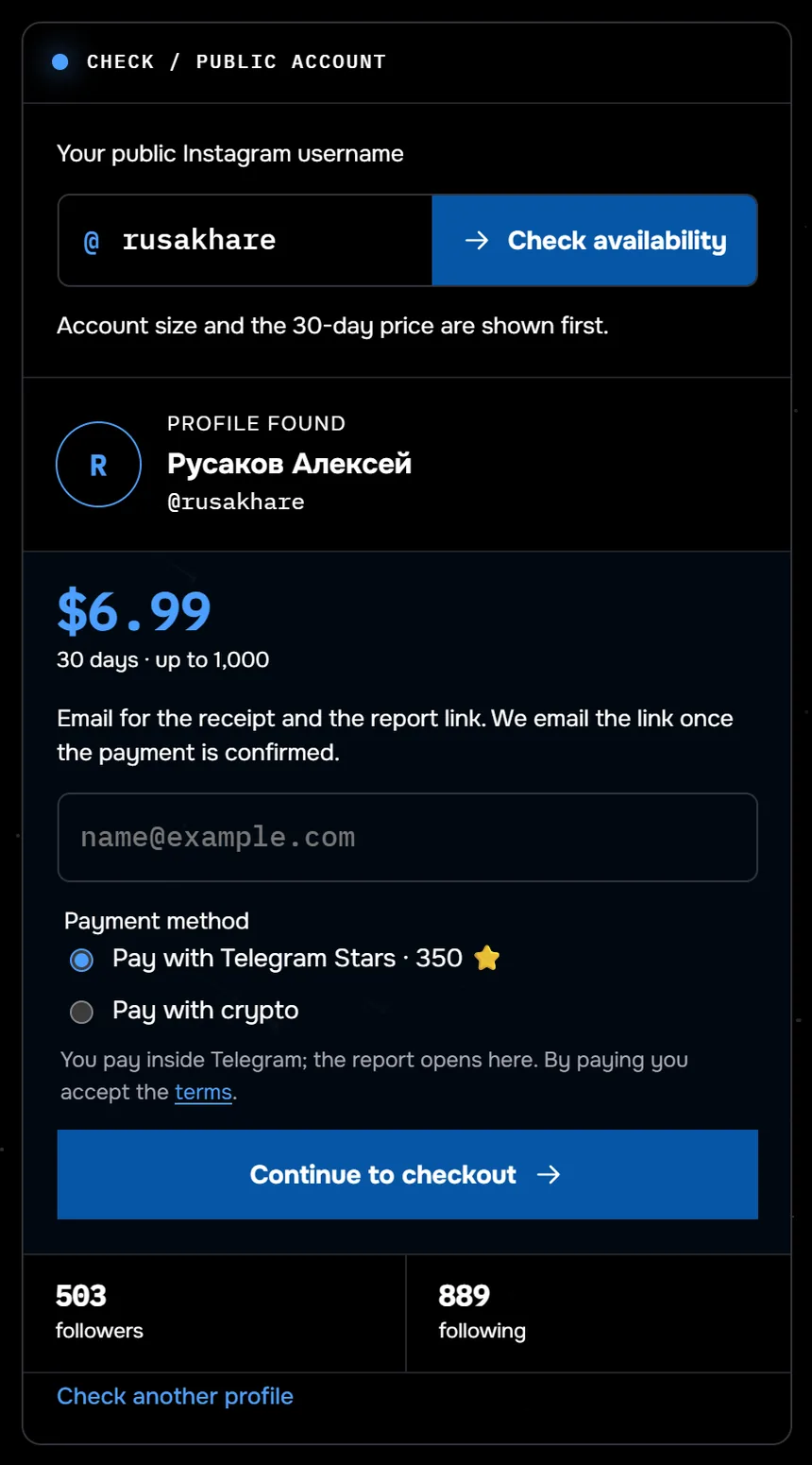
The screenshot shows an unfollow tracking order before payment: the profile @rusakhare is found and has 503 followers. It now costs $9.99 for up to 1,000 followers; the screenshot shows the earlier price. Between 24 August and 27 September 2026, the lists of 117 profiles were checked through Sled. Half of them had fewer than 359 followers.
A missing name does not always mean an unfollow. The person may have deleted their account or become unavailable, and a snapshot alone cannot tell those cases apart. The report names who disappeared and does not assign a reason.
See who left your followers without handing over credentials or installing anything.
Track unfollows without a passwordWhat to do about unfollows next
How often you compare decides how narrow the window gets. The closer the snapshots, the more precisely you know when a name disappeared. Someone who follows and leaves between two snapshots never shows up in the comparison. Sparse checks miss more of those short stays.
For a personal profile, a weekly comparison is a sensible rhythm. After a giveaway, an ad or a divisive post, run a separate comparison. That shows how many people left right after the event rather than across the whole month.
Every method for spotting unfollows is compared in our side-by-side guide to unfollow checks. It also shows why counting by hand loses to snapshot comparison.
Questions about unfollows and apps
Does Instagram notify you when someone unfollows you?
No. The Help Center states that people are not notified when someone unfollows them. Only a comparison of your follower list on two different days reveals the name.
Is it safe to give an unfollow tracking app your password?
No. With your username and password a tracker gains complete access to the account and can read your personal messages. The Terms of Use forbid collecting other users' passwords, and sharing yours with a third-party app gets accounts restricted and flagged for review.
What should I do if I already logged in through such an app?
Remove the tracker under Apps and websites, change your password, log out unfamiliar devices and turn on two-factor authentication. The exact menu paths are in the section on revoking access above.
Will the report show the exact time of an unfollow?
No. Instagram does not reveal when an unfollow happened. The report gives the window between two checks in which the name disappeared.
Sources
- Instagram Help Center: unfollowing someone
- Instagram Terms of Use
- Instagram Help Center: securing your account
- Instagram Help Center: why not to use apps that offer likes and followers
- Instagram Help Center: account restrictions for automated data collection
- Instagram Help Center: why your account is at risk
- Instagram Help Center: apps and websites connected to your account
- Instagram Help Center: changing your password
- Instagram Help Center: recent login activity
- Instagram Help Center: two-factor authentication