Does the owner find out you viewed their followers?
Opening a followers list means reading a page, not taking an action. You do not like anything, write anything or follow anyone. Actions are what leave a mark on someone else's page: a like, a comment, a follow, a story view. Quietly scrolling through someone's followers is not one of them.
The help center describes two kinds of information about viewers. The first kind comes with names. The help article on viewing stories is brief: when you see someone's story, they can tell that you saw it. The second kind is made of numbers.
The overview of insights lists what the owner of a public account receives: views, the number of distinct viewers, and demographics such as country, city, age range and gender. None of these figures carries a username. Post insights count profile activity too, as one number.
So the direct answer is no. The owner cannot tell you viewed their followers as long as you tap nothing. Notifications follow actions, not reading.
How a followers list differs from a story
A story leaves a trace by itself. Every viewer lands in a list the author can open, name by name. A list of followers keeps no such record. Who sees story viewers and in what order is covered in who sees that you watched a story.
Giving yourself away while browsing followers takes a single tap. Three spots need care:
- A profile photo with a colored ring. The ring marks an active story. A tap opens it, and your username joins the author's viewer list.
- The Follow button on every row. A slip of the finger makes you a follower, and your username appears on that person's list.
- A double tap on a photo. That is how a like is placed, and the like carries your username.
Where to view followers
There are two routes: the app on your phone and a browser without logging in. The first opens the list itself, and the second shows the profile header and posts.
In the app
- Open search and type the username or name.
- Pick the right row in the results to open the page.
- Tap the followers count at the top of the page.
- Scroll through the names, or type one into the search field above them.
Your main account works fine for this. Touch only rows and the search field, since an accidental like or follow gives you away.
In a browser without logging in: what the page shows and where it stops
In a browser, a profile lives at instagram.com followed by a slash and the username. The help article on profiles on the web is plain about it: anyone can see a public account's profile and posts at that address. Posts on a private page are visible only to people who are logged in and approved by the owner.
The same article shows where the page stops. For a visitor without a login it promises the profile and the posts, and nothing more. It says nothing about followers or following. The visibility table opens only the photo, name, username and bio to anyone on or off the platform. Lists of connections in that table are addressed to people on Instagram and Threads.
A private browser window hides your history on your own device. What the platform side sees of such a visit is covered in Instagram incognito: what your visit reveals.
Public profile and private account: whose list is visible, and to whom
The platform keeps its visibility rules in one table in the help article on public and private accounts. Five rows from it matter for followers.
| What is visible | Public profile | Private account |
|---|---|---|
| Photo, name, username, bio | anyone, on or off Instagram | anyone, on or off Instagram |
| Photos and videos on the page and in feed | anyone on Instagram | followers only |
| Connections with public accounts | anyone on Instagram and Threads | anyone on Instagram and Threads |
| Connections with private accounts | anyone on Instagram | followers only |
| Who can follow | anyone on Instagram | only people the owner approves |
On a public profile, the followers list is open to anyone on Instagram. Public accounts among those followers are visible on Threads as well. The header with photo, name and bio is open to everyone.
A private account hides its posts and its connections with other private accounts. Only followers the owner approved can see them. Connections with public accounts stay visible: anyone on Instagram and Threads can see those.
A business page is never private: the same help article says business profiles cannot be made private. The followers of a shop or a brand are open to anyone on the platform.
That gives you a working check. Say you want to know whether a private page follows a particular public blog. Open the blog's followers and type the username into search. Where the rumor about a setting that hides the follows of an open page comes from is covered in hidden following lists on Instagram.
How to find one name among followers, and what the list order tells you
Nobody reads several thousand rows by eye. In the app, a search field sits above the names. Type part of a username or display name, and only the matches stay on screen. Try several spellings: with and without accents, with a dot, with an underscore.
Search from both sides
A connection between two people shows up in two lists at once. You can look for the person's username among a blog's followers. You can also look for the blog's username in the person's following. The first route helps when the person is private and the blog is public. An empty result across all spellings means there is no follow. The steps for someone's follows are collected in how to see who someone follows on Instagram.
What the order tells you
No row shows a follow date: only a photo, a username, a name and a button. The list still has an order. Followers appear in the order they were added, with the newest at the top. The top rows show who followed most recently.
Take a page with 3,000 followers where the username you want sits twelfth from the top. That person followed later than almost everyone else. Whether it happened yesterday or a month ago, the list cannot say. Comparing two full lists taken on different days gives the window: the new name appeared between them.
A site that promises the exact date someone followed a page is making the number up. The row carries no date, and there is nowhere to take one from.
Services that ask for a password to view followers anonymously: what you put at risk
Sites promising anonymous viewing often ask for your username and password. Logging in as you does not hide you from the platform. Everything such a service does, it does in your name.
The warning signs are few: a request for your password, a promise to show who visited a page, or a follow date in someone else's list. Insights give owners numbers rather than names, and rows carry no dates. Both promises contradict the help center and the list itself.
The security help article says to never share your login information with an app you do not trust. Those details give the app full access. Full access means everything you can do yourself: posts, messages, follows and likes.
The article on risk warnings names a sync with an unauthorized third-party app as one of the causes. The platform then asks for a new password, and updating it logs you out of all other devices. The same article advises removing third-party apps you do not recognize.
This has happened before. In November 2018 the company began removing inauthentic likes, follows and comments from accounts that used third-party apps to grow. Those accounts received an in-app message and a request to change their password.
The Terms of Use forbid soliciting, collecting or using other people's login credentials. A service that asks for your password breaks those rules from its first step. How similar apps work is covered in apps that show who unfollowed you on Instagram.
Already gave a password away: what to do today
- Change the password. The help center says it should differ from the passwords to your email and bank.
- Open Apps and Websites in settings and remove every connection you do not recognize.
- Turn on two-factor authentication. The help center calls it the single strongest step against hackers.
A public profile's full followers list without logging in
Manual search works for a single name. For the whole list it is slow: thousands of rows, scrolling and one name at a time. The Sled lists report collects both lists of a public profile in full: followers and following.
You enter a username or a profile link, and the check runs anonymously with no login. No password is needed. Rows appear in the order they were added, newest at the top, just as on Instagram. The report shows no dates, since the platform does not show them either.
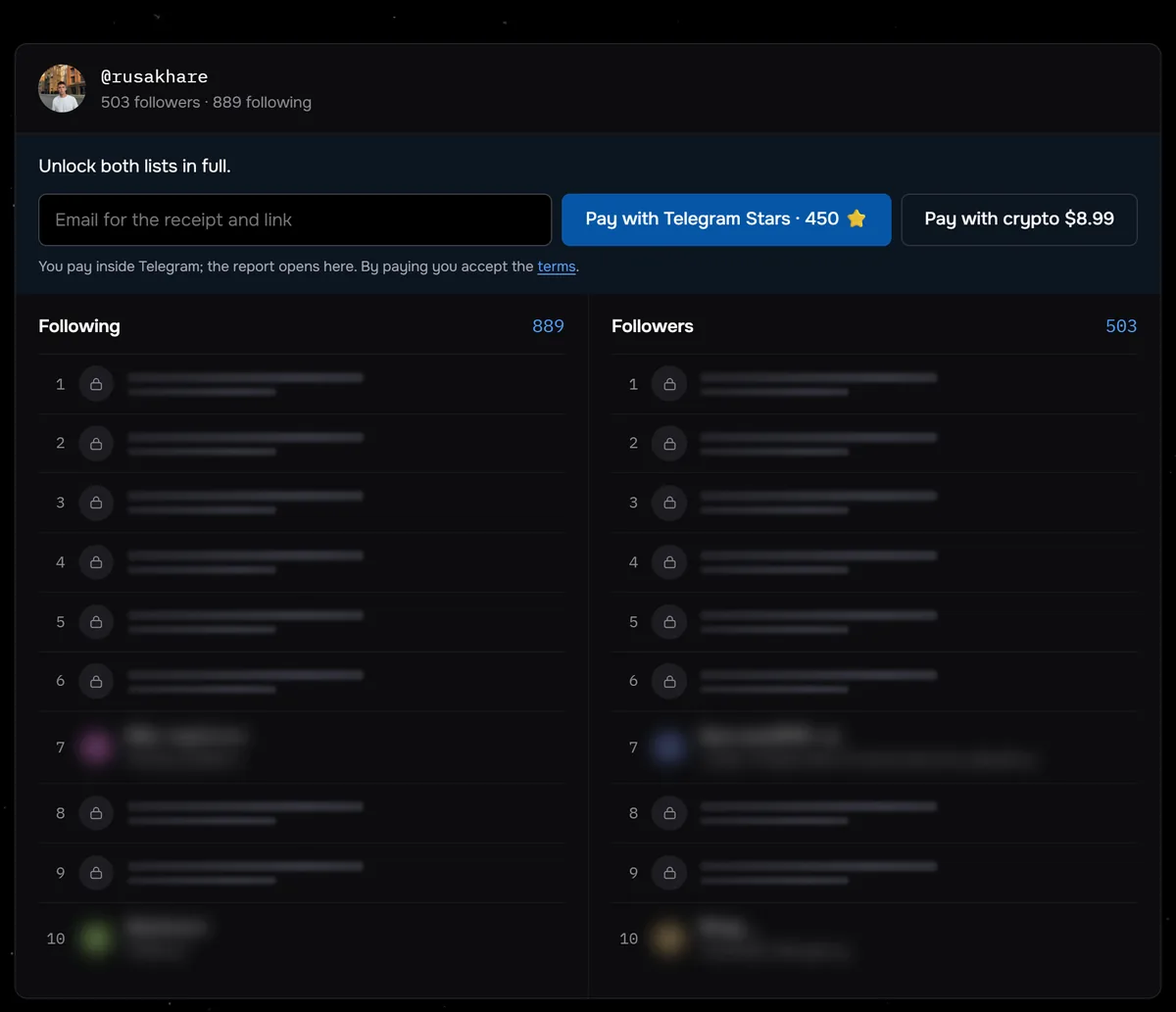
The screenshot shows the check for @rusakhare before payment: 503 followers, 889 following and the report price, with the first rows of both lists locked. Between August 24 and September 27, 2026, Sled checked the lists of 117 profiles, and half of them had fewer than 359 followers.
Open the followers and following of a public profile in full. Anonymous, with no login and no password.
View followersFor one or two names, search in the app is enough. On a list of thousands of rows, the report saves an evening of scrolling.
Common questions
Will someone know I viewed their followers?
No. Instagram shows story authors who watched by name. Insights count views and profile activity as numbers, with no usernames. Only an action can give you away: a like, a follow or an opened story.
Can you view followers anonymously without an Instagram account?
The help center promises a visitor without a login the profile and posts of a public account. The visibility table addresses lists of connections to people on Instagram and Threads. The Sled report shows both lists of a public profile in full with no login.
Can you see a private account's followers?
According to the help center, anyone on Instagram and Threads can see a private account's connections with public accounts. Posts and connections with private accounts are visible only to approved followers.
Is it risky to enter your password on anonymous viewer sites?
Yes. A login and password give a third-party app full access. The help center lists a sync with an unauthorized app among the reasons for a risk warning, and the platform then asks for a new password.
Sources
- Instagram Help: who can tell that you've seen their story
- Instagram Help: about Instagram insights
- Instagram Help: view insights on your posts
- Instagram Help: who can see your profile on the web
- Instagram Help: differences between public and private accounts
- Instagram Help: secure your account
- Instagram Help: why your account is at risk
- Instagram Help: apps and websites connected to your account
- Instagram, 19 November 2018: reducing inauthentic activity
- Instagram Help: Terms of Use